What Is Flex Banner Printing? A Singapore Guide to PVC Banners, Eyelets and Outdoor Signage
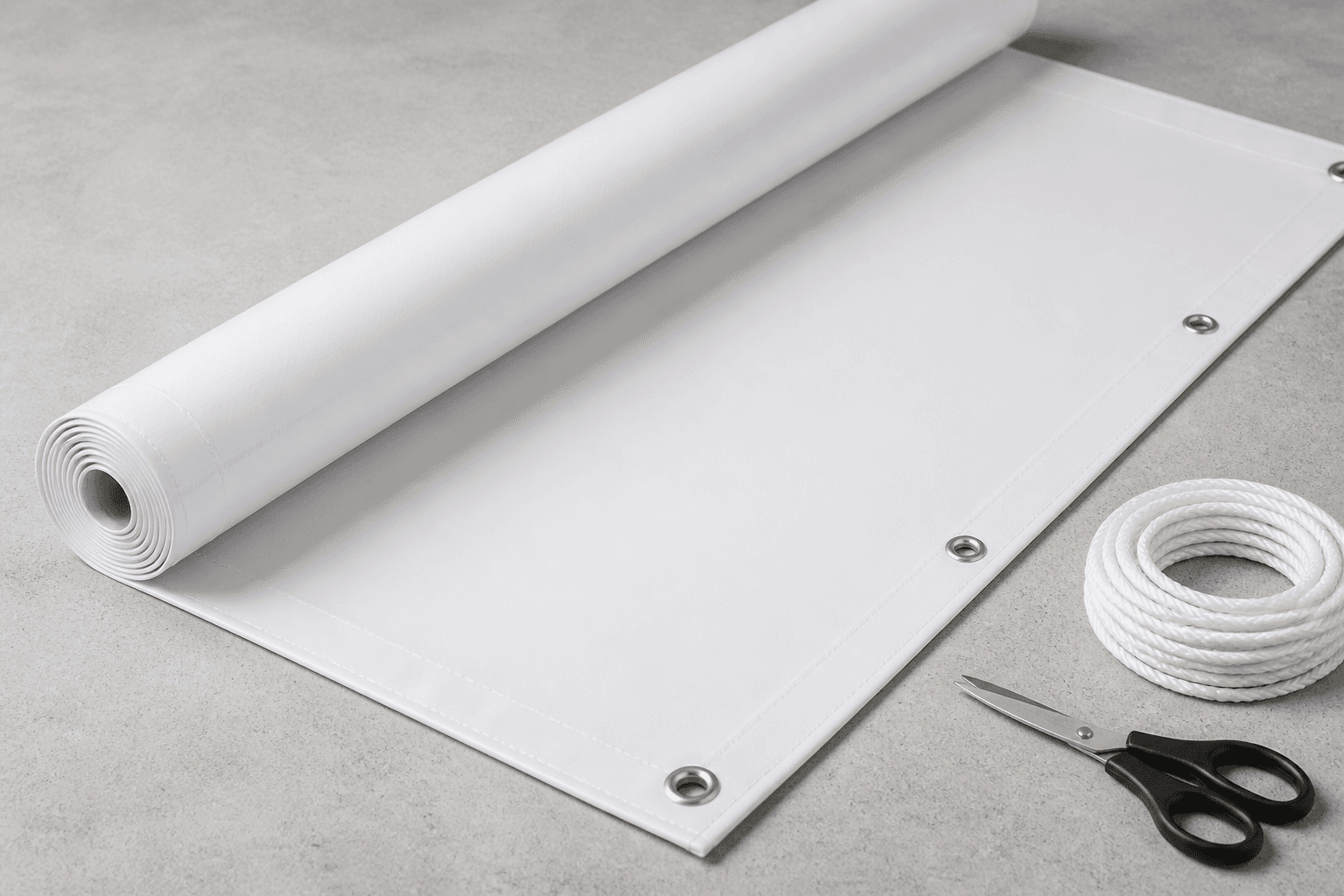
If a supplier has quoted you for "flex banner printing" and nobody explained what flex actually is, here is the short answer: flex is a flexible PVC sheet, and the product you are looking for on our site is PVC canvas banner printing in Singapore — a large-format banner printed to whatever width and height you specify, then finished with metal eyelets so it can be tied, hung or cable-tied into place. Same material, different name on the label. Printers across Singapore, Malaysia and India tend to say "flex"; we call it PVC canvas on the product page, and it is the right choice when a banner has to live outdoors, hang across a railing, or stretch wider than a standard paper print can go.
This guide covers what flex banner printing really is, how it differs from a roll-up banner and an X-stand banner, how eyelets and sizing work, and how to hand over artwork that still looks sharp when it is two metres wide. Whether you buy from us or not, you should walk away knowing exactly what to ask for.
What flex banner printing actually means
"Flex" is a material, not a printing method. It is a woven or coated PVC sheet — a flexible plastic rather than paper — that arrives on a roll and gets fed through a large-format printer. Because it is plastic, it tolerates rain, wind and handling in a way that a paper poster simply cannot. That is the whole reason outdoor banners, construction hoarding, roadside signage and event backdrops are almost always printed on it.
The printing side matters too. Our PVC canvas banners are printed in eco solvent, which is the standard ink family for signage that has to sit outside. Eco solvent inks bond into the PVC surface rather than sitting on top of it like water-based ink on paper, which is why banner printing and document printing are genuinely different processes on different machines — and why you cannot simply ask an office printer for a banner.
So when you hear "flex banner printing", read it as: large-format eco solvent printing onto flexible PVC, cut to a custom size, with eyelets punched along the edges.
Flex vs roll-up vs X-stand: which banner do you actually need?
This is where most people get stuck, because all three are called "banners" and they solve completely different problems.
- Flex / PVC canvas banner — no stand, no frame. It is a sheet you hang, tie or mount. Any custom width and height. This is what you want for outdoor use, for anything unusually wide or tall, and for banners that go on a fence, a wall, a railing or a scaffold. Order it as a made-to-size PVC banner.
- Roll-up banner — a printed panel that lives inside its own aluminium cassette. You pull it up, it stands by itself, you roll it back down and carry it away in a bag. Ours print at 60cm × 160cm and 85cm × 200cm on poster paper. This is the indoor workhorse: exhibitions, roadshows, lobbies, booths.
- X-stand banner — a lightweight X-shaped frame that clips to the four corners of a printed panel. Ours come in 60cm × 160cm and 80cm × 180cm, and you can choose poster paper or PVC canvas for the panel itself. It is the lightest and simplest of the three to carry and set up.
A useful rule of thumb: if it lives outdoors or on a structure, print flex. If it lives indoors and needs to stand by itself, print a roll-up banner. If it lives indoors, moves constantly and weight matters, print an X-stand banner. Plenty of businesses end up owning all three for different jobs, and that is not overkill — each one fails at the other's job.
Eyelets: the small detail that decides whether your banner survives
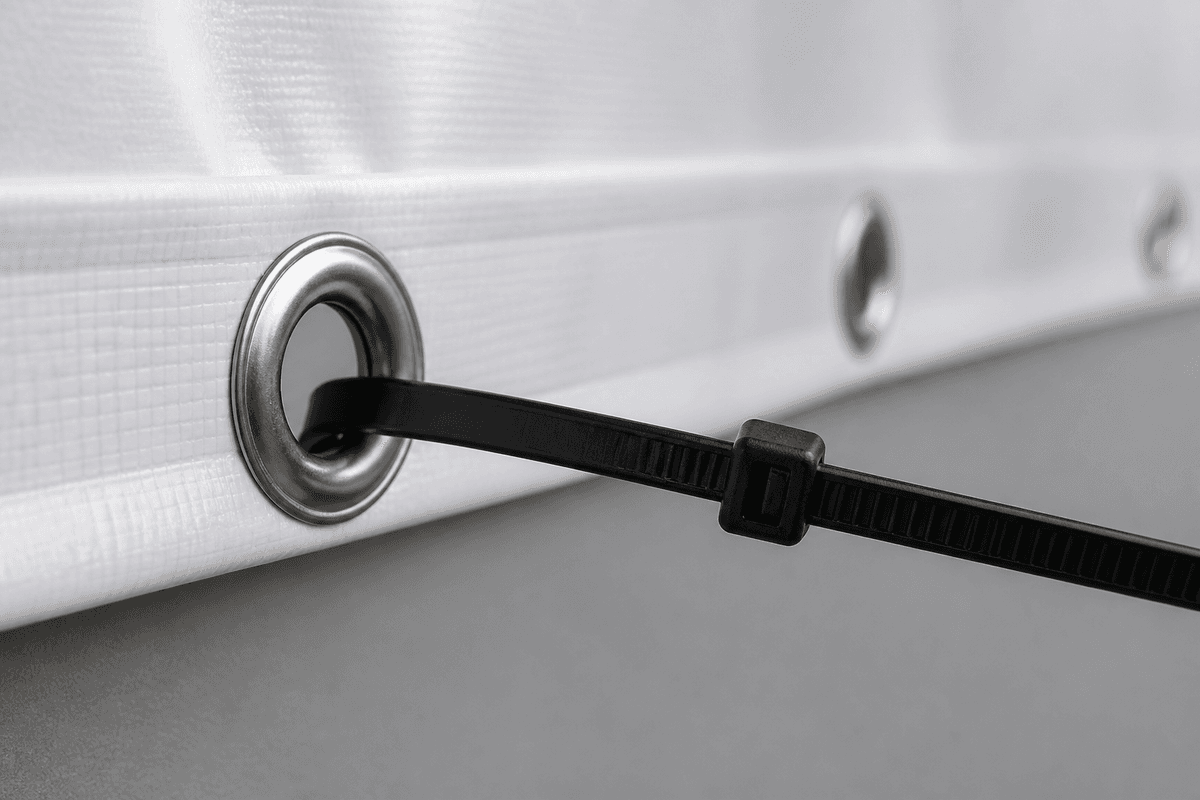
An eyelet is the metal ring punched through the edge of the banner. Rope, cable ties or bungee cords pass through it. Without eyelets you have a sheet of printed plastic and no way to mount it; with too few, the banner sags between fixing points and flaps in the wind, which is how banners tear.
On our PVC canvas product you choose the eyelet count yourself in the configurator, so it is worth thinking about before you order. Some practical guidance:
- Put eyelets in all four corners, always. That is the minimum for any banner.
- For anything wider than roughly a metre, add eyelets along the top and bottom edges at regular intervals rather than relying on the corners alone.
- For an exposed outdoor spot — a fence line, an open car park, anywhere the wind gets a run-up — space them more tightly. Closer eyelets share the load.
- Keep your artwork clear of the edges. Eyelets sit in from the edge and punch through the print, so anything important that close to the border will be interrupted.
Sizing a flex banner properly
Unlike a roll-up or an X-stand, a flex banner has no fixed size — you give us a width and a height in millimetres and that is what gets printed. That freedom is the main advantage and the main trap.
Measure the actual mounting spot first, not the space you imagine. If the banner spans two poles, measure pole to pole and then subtract enough to leave slack for the rope; a banner cut to the exact gap cannot be tensioned. If it mounts flat against a wall or hoarding, measure the flat area and stay inside it, because a banner that wraps around a corner creases and reads badly from an angle.
Then sanity-check the proportions against the viewing distance. A banner read from across a field needs a headline several times larger than one read from two metres away at a roadshow. The single most common mistake in banner design is not resolution — it is type that was sized on a laptop screen and never checked against how far away the reader will actually stand.
Getting your artwork right for large-format printing
Large format is more forgiving on resolution than small print, because nobody presses their nose against a two-metre banner. That said, a few things still matter:
- Build your file at 300 DPI at print size, or work in vector. Logos, headlines and any line work should ideally be vector so they stay crisp at any scale. Print-ready artwork beats a screen-grab every time.
- Design in CMYK. Banners are printed with process inks, so a file built in screen colour will shift. Checking in CMYK up front removes the surprise.
- Include bleed and keep a safe margin. Extend your background past the trim edge, and pull text and logos inward so trimming and eyelets never clip them.
- Outline or embed your fonts. A missing font substitutes silently and you will only notice on the printed banner.
- Put the message above eye level. On a tall banner, the bottom third is often blocked by people, tables or plants. Load the top two-thirds with the things that must be read.
Where flex banners earn their keep in Singapore
Weather is the deciding factor here. An afternoon downpour will finish a paper banner; PVC is the material that shrugs it off, which is why you see it used for:
- Condo, CC and school event signage strung between railings or posts
- Construction and renovation hoarding along a walkway
- Grand opening and sale banners on a shopfront or above an awning
- Sports day, fun run and carnival start and finish lines
- Photo backdrops and step-and-repeat walls for events and launches
- Long-run wayfinding for a venue or temporary car park
If your event is entirely indoors and air-conditioned, you can genuinely save yourself the trouble and print a roll-up instead. If there is any chance of sun or rain, print flex — the material is the whole point.
Matt or gloss on a banner stand?
For roll-up and X-stand panels you also choose a lamination — matt or gloss — and both options are available on ours. Gloss lifts colour saturation and makes photography pop, which suits product shots and bold graphic work. Matt kills reflections, which matters more than people expect under the downlights of an exhibition hall or near a window, and it is the safer pick for panels that are mostly text.
When in doubt on an indoor stand, matt is the more forgiving choice; glare is the one problem you cannot fix after the banner is printed. Lamination also adds a protective layer to the panel surface, which helps a banner you plan to reuse survive being rolled, unrolled and carried between events.
Ready to print? Build it on the product page
Set your width, height and eyelet count and order a flex banner on the PVC canvas page — the configurator prices it as you change the dimensions, so you can compare sizes before committing. Running an indoor event instead? Start with the roll-up banner page, or the X-stand banner page if you want the lightest setup. And if the piece is going on a wall indoors rather than a stand, poster printing may be all you need.
Flex banner printing FAQs
Is flex the same thing as PVC banner?
Yes. "Flex", "flex banner" and "PVC banner" all describe the same flexible PVC sheet. Different suppliers use different words for it. On our site it is listed as PVC canvas.
Can a flex banner be used indoors?
Absolutely — it is just heavier-duty than you need. Indoors, a roll-up or X-stand is usually easier because it comes with its own stand and does not need anything to tie onto.
What size can a flex banner be printed at?
You set the width and height yourself in millimetres rather than picking from a fixed list, which is exactly why flex is used when a banner has to fit a specific gap between two poles or a particular stretch of hoarding.
How many eyelets should I ask for?
Four corners at minimum. Add more along the long edges as the banner gets wider, and tighten the spacing further for exposed outdoor positions where wind load is a real factor.
Can I reuse a flex banner?
Yes — it is a flexible sheet, so it can be untied, rolled up and stored flat for the next time. Roll it rather than folding it, since a hard crease in PVC tends to stay visible.
What file should I send?
A print-ready PDF built at final size with bleed, fonts outlined and artwork in CMYK is ideal. Vector logos and headlines will always outperform a low-resolution screen image at banner scale.